Product update post
Turn every release into a post
A release note tells your users what changed. A short animated post tells everyone else. Pick a template, paste what shipped, and post it the same day.
Free to preview, no account needed.
Templates that fit
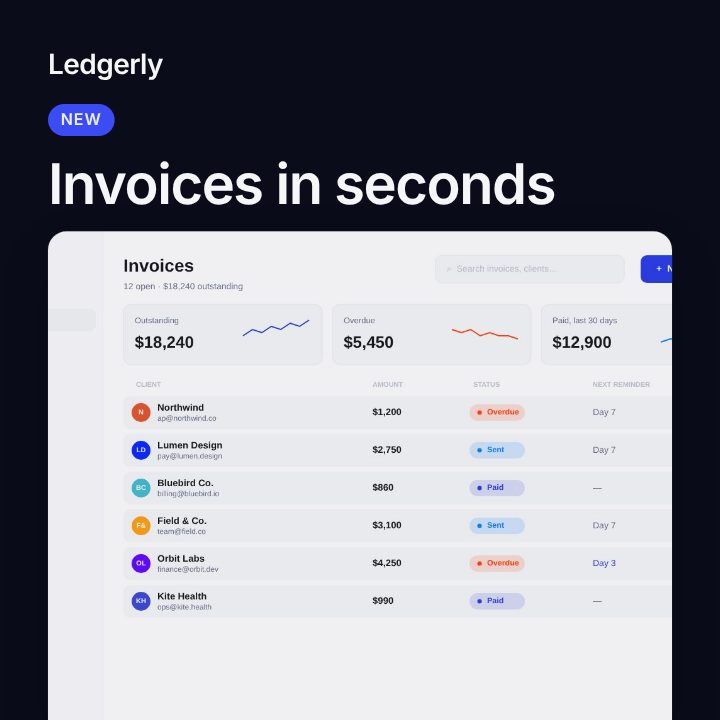


What makes a good update post
- Lead with the benefit. "Export in one click" beats "New export modal".
- One change per post. A roundup of six changes reads like a changelog. Post the headline change and link to the rest.
- Show it. A screenshot of the new screen makes the change concrete.
- Say where it lives. "Live now in Settings" or "Out today on every plan".
From release note to post in four steps
- Pick What's New. Its Card layout puts your screenshot under the headline, Screen puts it front and centre, and List shows up to three changes.
- Choose the "New feature" idea. It fills the label, headline and changes from your product, ready to edit.
- Add your screenshot of what shipped.
- Export 1:1 or 4:5 for LinkedIn and Instagram, 16:9 for X, and 9:16 for Stories.
For a bigger release, Dot Matrix has a Chart layout with a dotted line that climbs, and Circuit frames a product screen on a clean panel.
Make it a series
Teams that ship every week get the most from update posts. Keep one project per product, swap the headline and the screenshot for each release, and the colours, fonts and layout stay the same. A consistent series is easier to recognise in a feed.
Frequently asked questions
How long should an update post be?
The video runs 6 to 10 seconds. The words should be readable in the first two, so keep the headline under eight words.
Should I post a video or an image?
A short video tends to stand out in a still feed, and the last frame of every Filmagic post holds, so it also reads as an image.
What if I have no screenshot yet?
The post shows a sample app until you add one. The List layout needs no screenshot at all.